> ## Documentation Index
> Fetch the complete documentation index at: https://docs.rocky.global/llms.txt
> Use this file to discover all available pages before exploring further.
# My events
> View and manage all the events you're registered for.
## My Events panel
In the athlete's profile you'll find the complete history of events you've participated in or are about to participate in.
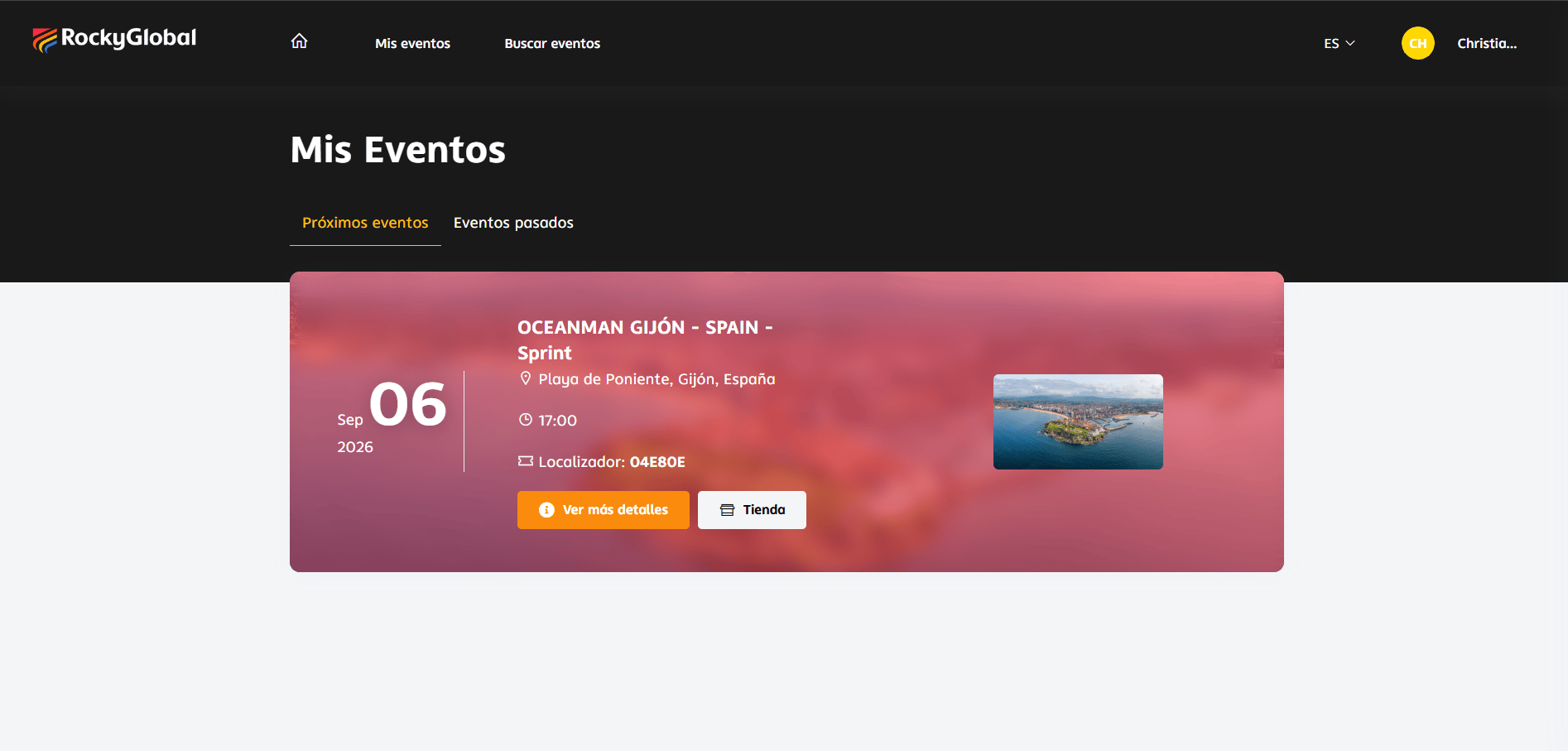 ### Information available per registration
* Event name and date.
* Registered category.
* Status (Confirmed, Pending, Finished).
* Bib number (once assigned).
* Proof of payment.
* Purchased products.
### Information available per registration
* Event name and date.
* Registered category.
* Status (Confirmed, Pending, Finished).
* Bib number (once assigned).
* Proof of payment.
* Purchased products.
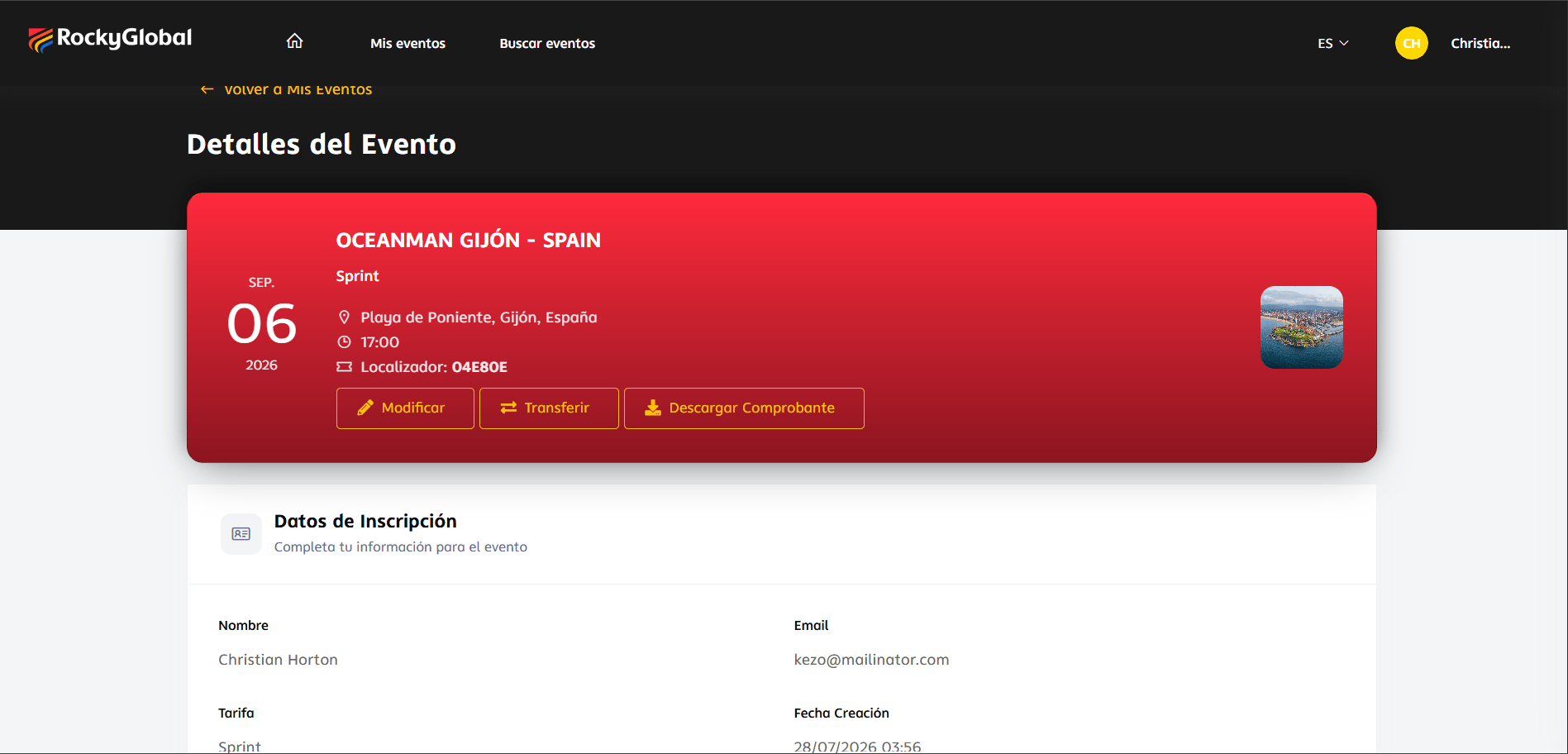 ## Available actions
Proof of payment or invoice.
Update information if the organizer allows it.
Give your spot to another athlete (if applicable).
Check your email periodically (including the spam folder) and revisit **My Events** to see the updated status of your registration.
## Available actions
Proof of payment or invoice.
Update information if the organizer allows it.
Give your spot to another athlete (if applicable).
Check your email periodically (including the spam folder) and revisit **My Events** to see the updated status of your registration.