> ## Documentation Index
> Fetch the complete documentation index at: https://docs.rocky.global/llms.txt
> Use this file to discover all available pages before exploring further.
# Payments and billing
> Accepted payment methods, billing, and downloading receipts.
## Accepted payment methods
Rocky Global currently processes **card** payments (Visa, Mastercard, American Express) through the **Redsys** gateway, in euros (EUR), and we keep working to add more payment methods.
## Download receipt
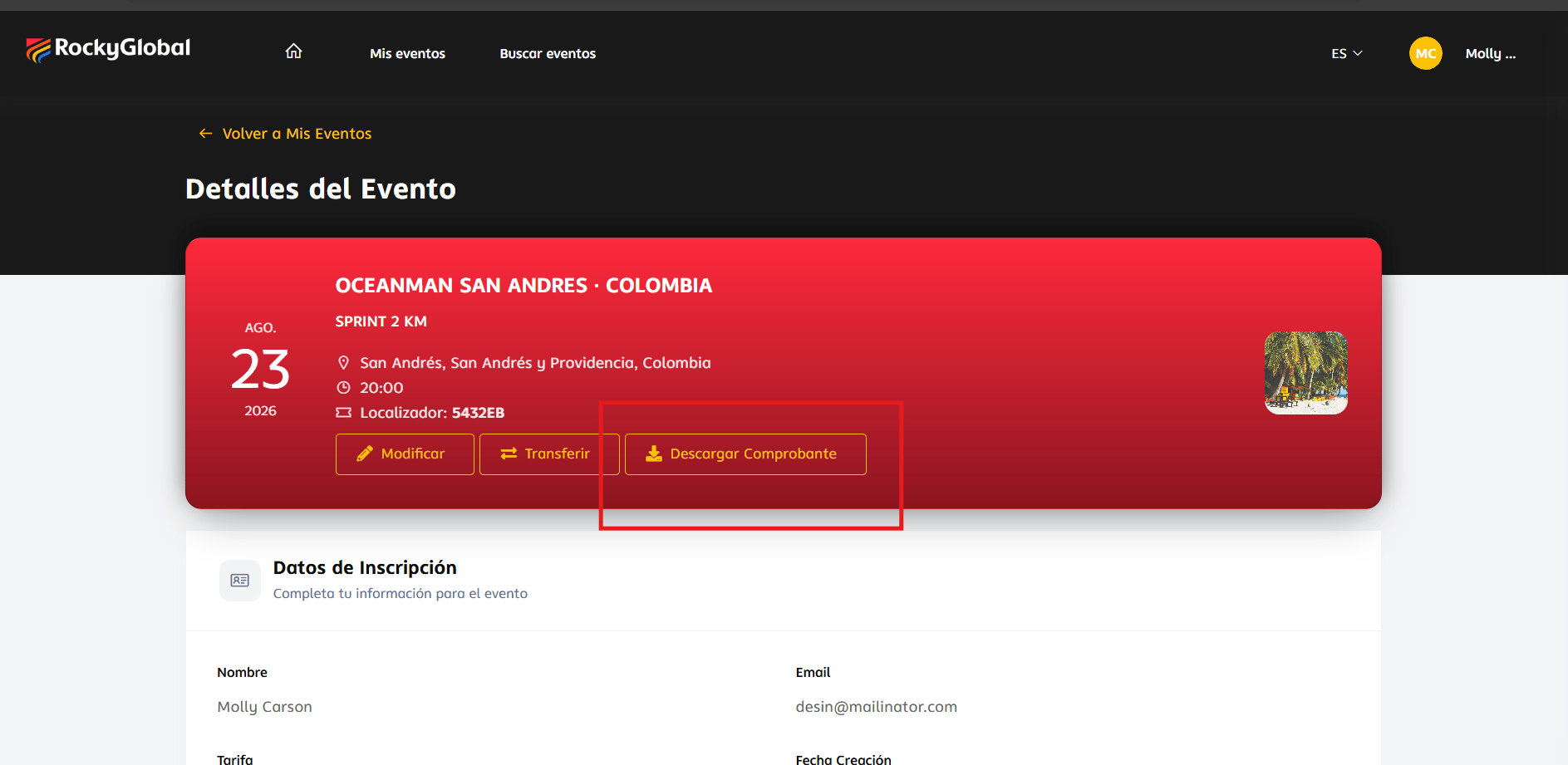
Sign in to your profile and open **My Events**.
Click the corresponding event to view your registration details.
Click **Download Receipt**.
 ## Refunds
Refunds are reviewed and processed by the event **organizer** according to their own policies; for now they're handled directly with the organizer rather than through a button within the platform. To request one:
1. Contact the organizer or support, indicating the event and your registration.
2. Attach your proof of payment.
3. Explain the reason for the request.
If the organizer approves the refund, they process it from their dashboard; you will receive an email notification once it's completed.
## Failed payments
If your payment fails, the platform takes you to a "failed transaction" page with the option to **retry the payment** immediately.
## Refunds
Refunds are reviewed and processed by the event **organizer** according to their own policies; for now they're handled directly with the organizer rather than through a button within the platform. To request one:
1. Contact the organizer or support, indicating the event and your registration.
2. Attach your proof of payment.
3. Explain the reason for the request.
If the organizer approves the refund, they process it from their dashboard; you will receive an email notification once it's completed.
## Failed payments
If your payment fails, the platform takes you to a "failed transaction" page with the option to **retry the payment** immediately.
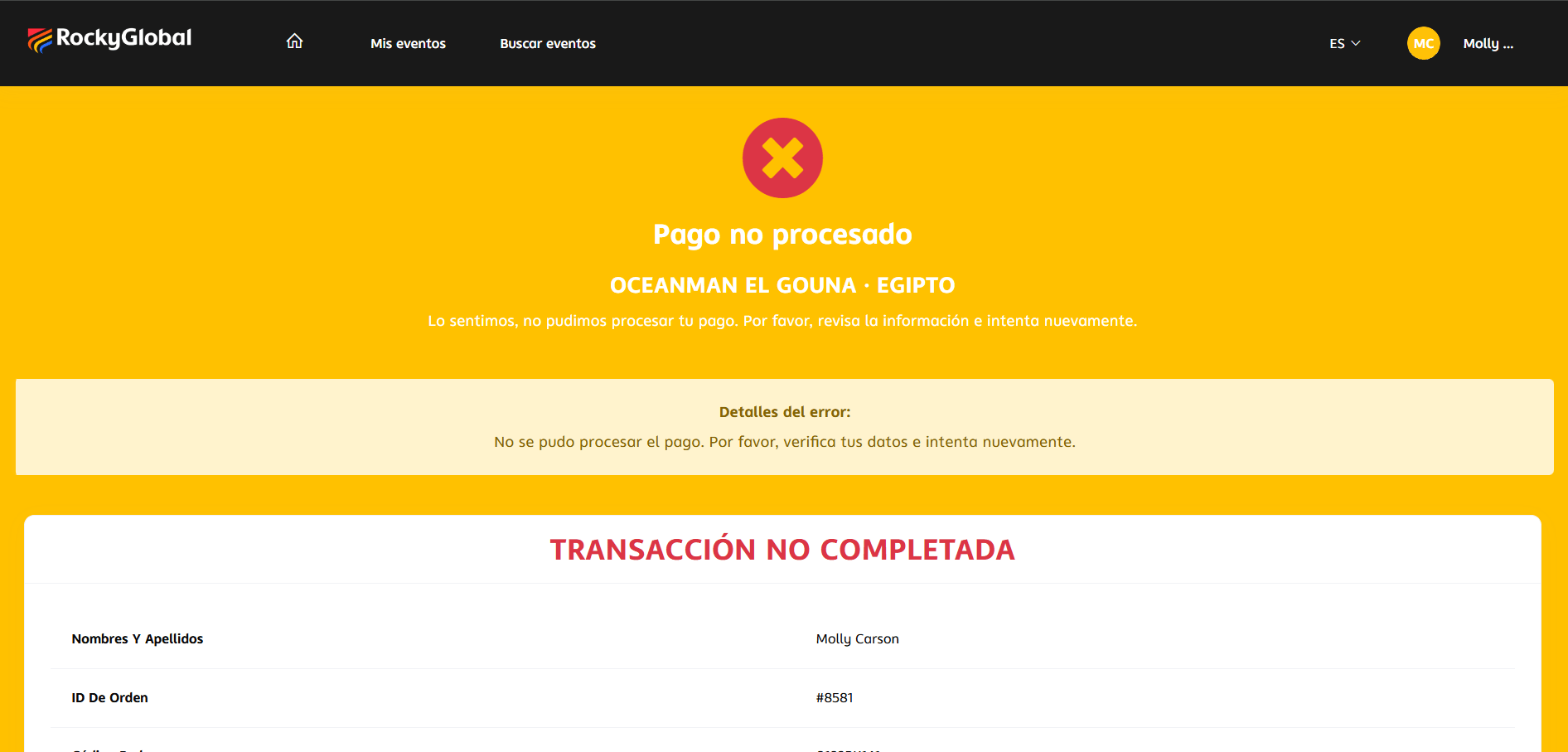 * Verify that your card has sufficient funds.
* Confirm with your bank that the transaction wasn't blocked.
* Retry the payment from that same page.
* Verify that your card has sufficient funds.
* Confirm with your bank that the transaction wasn't blocked.
* Retry the payment from that same page.
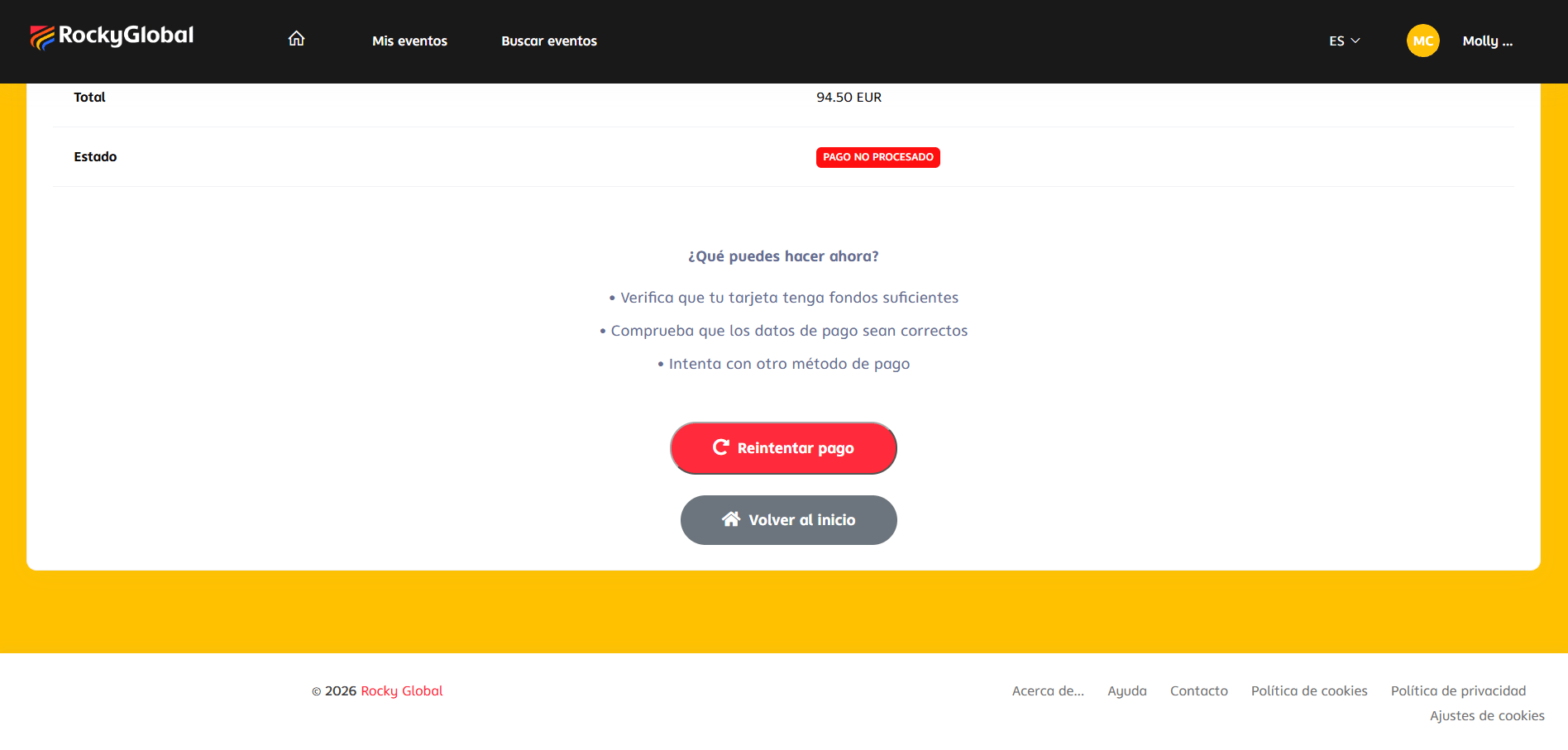 Registrations with pending or failed payment **do not appear** in your "My Events" list (that list only shows registrations with approved payment).