> ## Documentation Index
> Fetch the complete documentation index at: https://docs.rocky.global/llms.txt
> Use this file to discover all available pages before exploring further.
# Categories and fees
> Configure distances, prices, pricing schedule, and age groups.
## Categories
Categories are configured from **Settings → Forms**, in the draggable "Category" field of the basic questions section. This opens the **Configure Categories** modal.
Choose one of the two, they are mutually exclusive (you can't combine them in the same field):
* **By Gender:** classifies each participant according to one of these options: Male, Female, Mixed, Other, or Open (no restriction).
* **By Age:** define rows with Minimum Age, Maximum Age, and Category Name (for example, "JUNIOR" 15-19). The system automatically calculates which one each athlete falls into based on their date of birth.
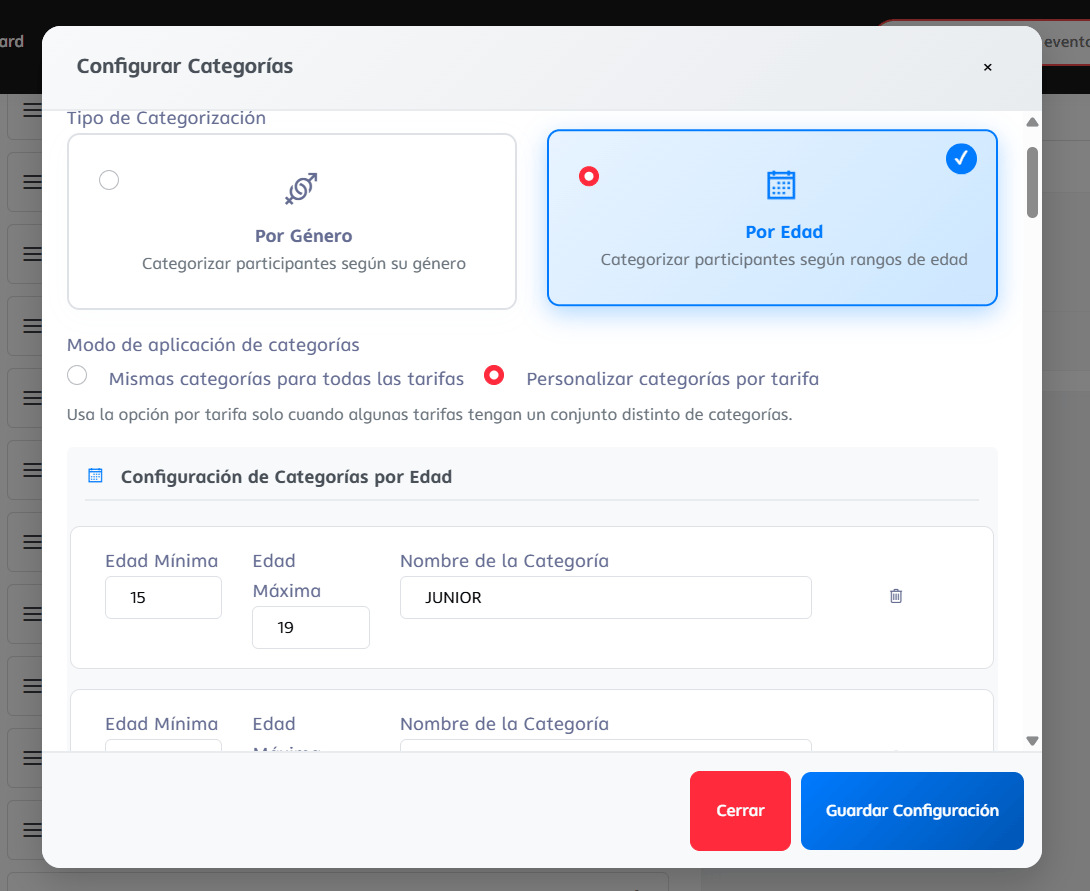 * **Same categories for all fees** (default), or
* **Customize categories per fee**, to mark which categories are available in each specific fee.
Click **Save Configuration**.
## Pricing schedule
You can configure **fees by period** to encourage early registrations. Each tier has a start date, end date, and price, with a **name you define**.
| Phase (free-form name, example) | Example |
| ------------------------------- | --------------------------------------- |
| **Presale** | €80 until 09/30 |
| **Regular** | €100 from 10/01 to 11/15 |
| **Last minute** | €120 from 11/16 to the day of the event |
The system forces the currency to **euros (EUR)** for all fees, regardless of the event's country.
### Configure fees
1. In the event panel, go to **Settings → Fees**.
2. Add each phase with: name, start date, end date, and price.
3. Define the **maximum capacity for that fee** (actual capacity is controlled per fee, not per category).
4. Save. The system will automatically apply the current price at the time of registration.
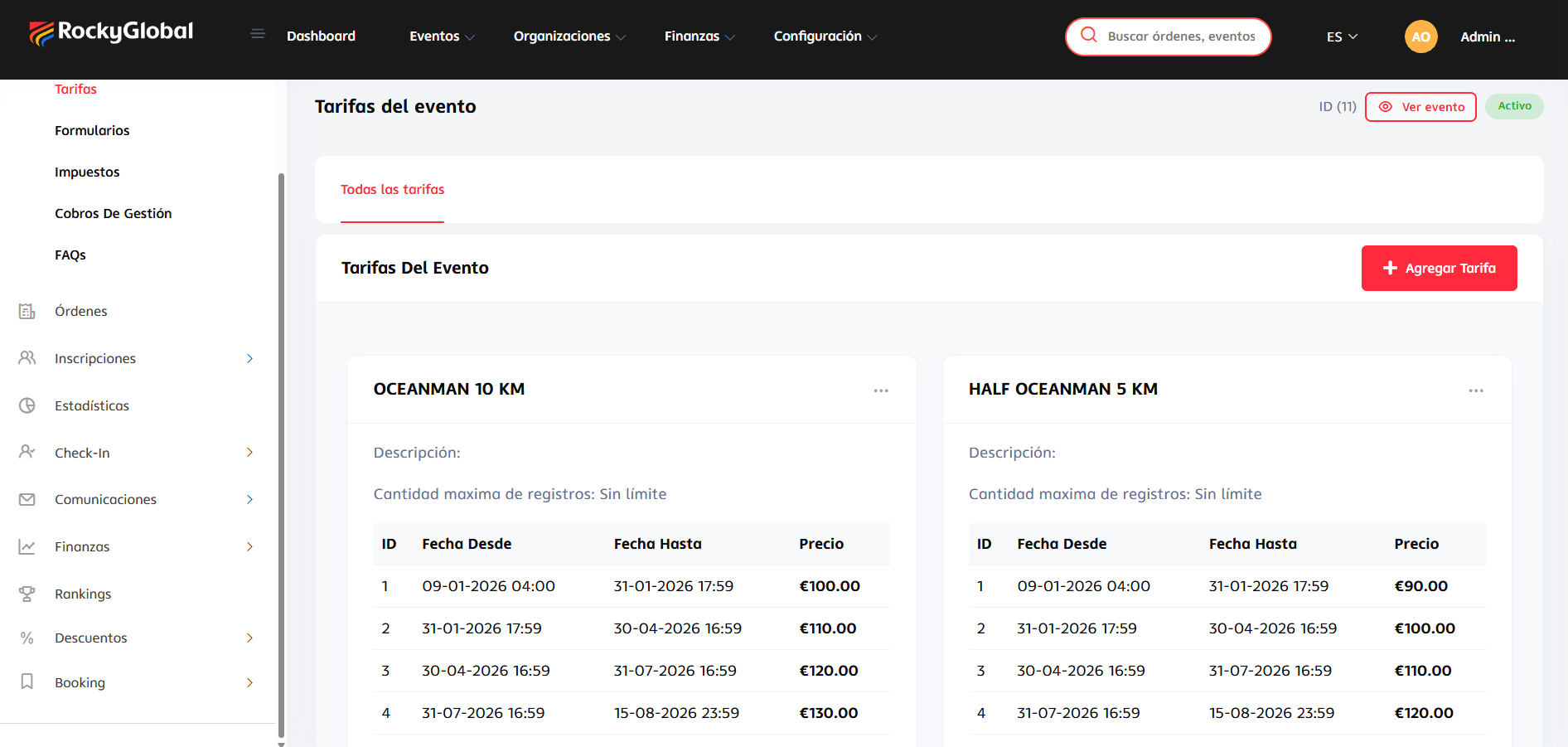
Here's how they look once configured: each fee (for example "OCEANMAN 10 KM") groups its own date and price tiers.
* **Same categories for all fees** (default), or
* **Customize categories per fee**, to mark which categories are available in each specific fee.
Click **Save Configuration**.
## Pricing schedule
You can configure **fees by period** to encourage early registrations. Each tier has a start date, end date, and price, with a **name you define**.
| Phase (free-form name, example) | Example |
| ------------------------------- | --------------------------------------- |
| **Presale** | €80 until 09/30 |
| **Regular** | €100 from 10/01 to 11/15 |
| **Last minute** | €120 from 11/16 to the day of the event |
The system forces the currency to **euros (EUR)** for all fees, regardless of the event's country.
### Configure fees
1. In the event panel, go to **Settings → Fees**.
2. Add each phase with: name, start date, end date, and price.
3. Define the **maximum capacity for that fee** (actual capacity is controlled per fee, not per category).
4. Save. The system will automatically apply the current price at the time of registration.
Here's how they look once configured: each fee (for example "OCEANMAN 10 KM") groups its own date and price tiers.
 ## Taxes
Prices can be shown **with or without taxes included**, depending on your event's tax settings. The platform commission is deducted at the time of settlement. See [Finances and settlement](/en/roles/organizador/finanzas-liquidacion).
## Taxes
Prices can be shown **with or without taxes included**, depending on your event's tax settings. The platform commission is deducted at the time of settlement. See [Finances and settlement](/en/roles/organizador/finanzas-liquidacion).