
How you get access
The portal (/dashboard-club) requires two things at once:
- The Club role on your account.
- Being an active administrator of the club you are trying to open. If you open the link of a club you don’t administer, access is denied.
To invite someone you only need their name and email. If they have no account, one is created and they receive an email with a link to set their password; if they already have one, they receive a notice (“Access to the club portal”) with a button to open the club dashboard.
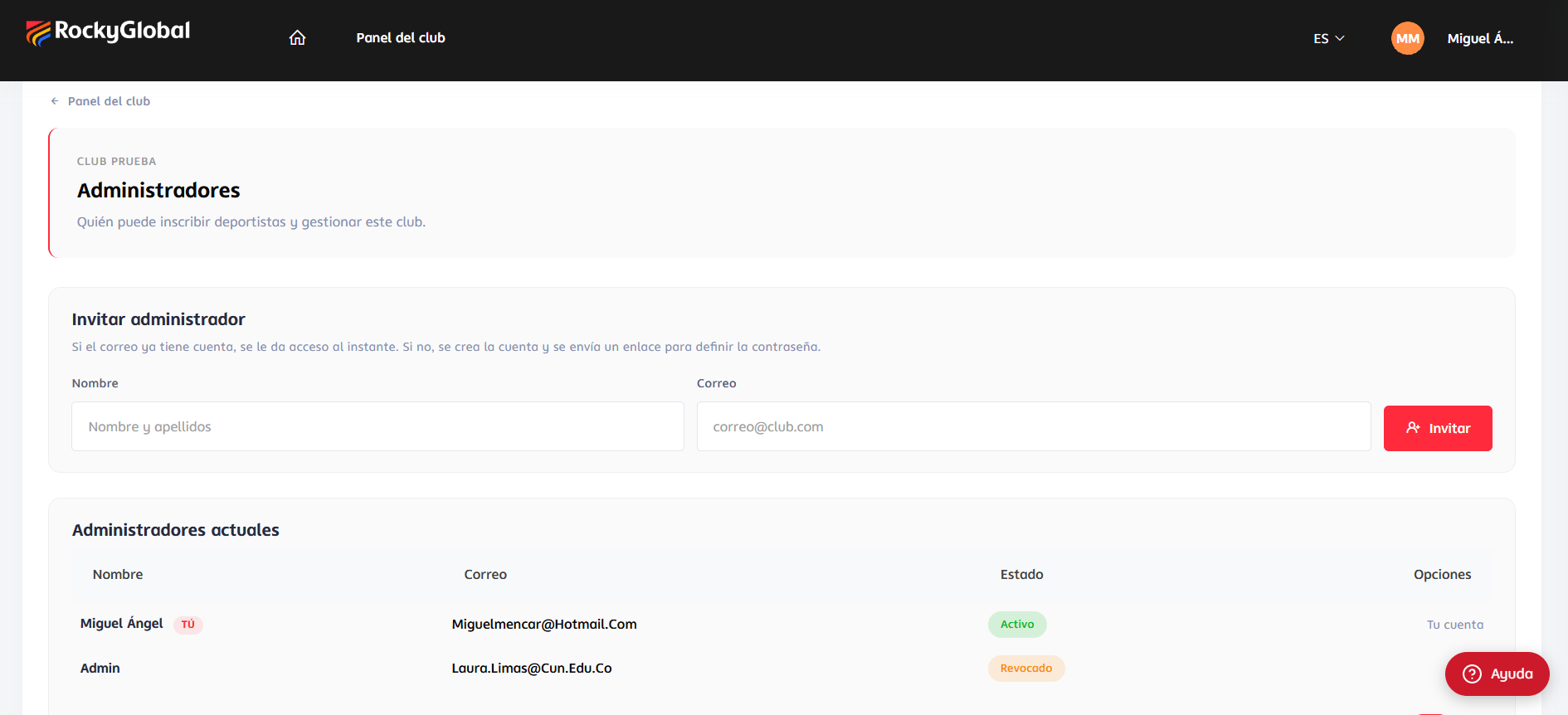
One person can administer several clubs, and a club can have several administrators. At
/dashboard-club you see every club you administer.Permissions
The Club role includes three permissions. Each screen requires the one that matches it:
The Club role has all three. For a more limited profile (for example, someone who only consults), a custom role with only some of them can be created from
/admin/roles.
Revoking an administrator’s access
On the Administrators screen you can revoke someone’s access. Their record is not deleted: it is marked as revoked and they lose access to that club. If they have no active club left, they also lose the Club role and itsclub.* permissions. Their data and the orders they created are kept.
Security: what the system checks at every step
- Role and club: every URL that includes a club checks that you are an active administrator of that club.
- Order and club: every URL with an order or an athlete checks that the order belongs to your club and was created from the portal.
- Prices: the total is always recomputed on the server from the rate and the event rules. Any request trying to send its own price or total is rejected entirely.