
My orders
My orders (/dashboard-club/{club}/ordenes) lists every order your club created from the portal, newest first. It requires club.orders.view. Only orders created from the club portal and from your club appear.
Four tabs filter by status, each with a badge for the whole club (not just the current page): All, To pay (Pending payment, Payment not completed and In review (transfer)), Paid and Cancelled. The table shows the order number, event, athlete count, status, total and the row actions, and can show 10, 20, 50 or 100 orders per page.
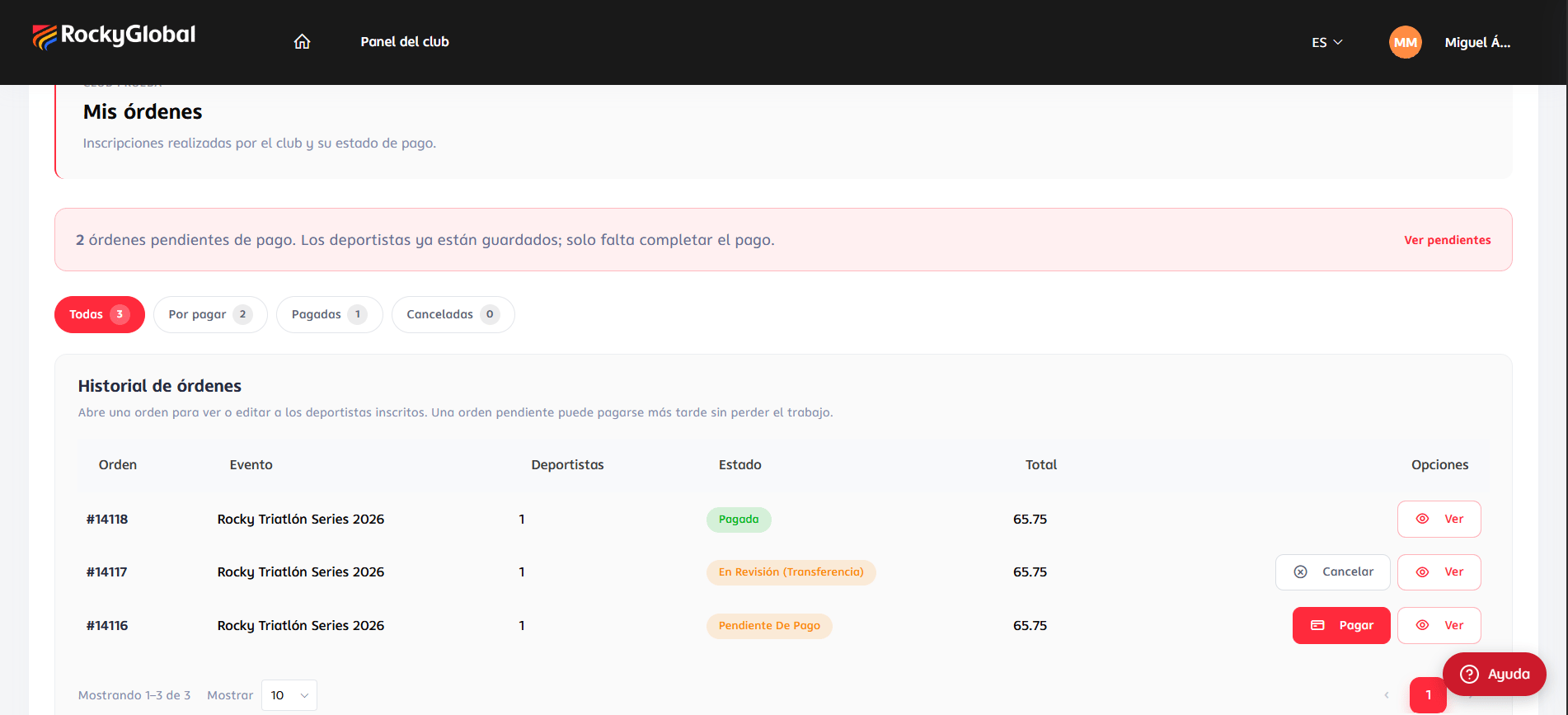
club.orders.edit. See Payments.
Order detail
My orders → View opens the order. It shows the club,Order #number, the event, dates and location; a status box that changes with the situation (Pay now / Retry payment / Cancel order, the transfer details when in review, or “Order cancelled”); three figures (Status, Athletes, Total); and a paginated Registered athletes table with name, email, rate and status (Registered, Pending, Cancelled or Rate change).
An athlete is Pending while the order isn’t paid and becomes Registered as soon as the payment is confirmed (or the organizer approves the transfer), for all athletes at once.
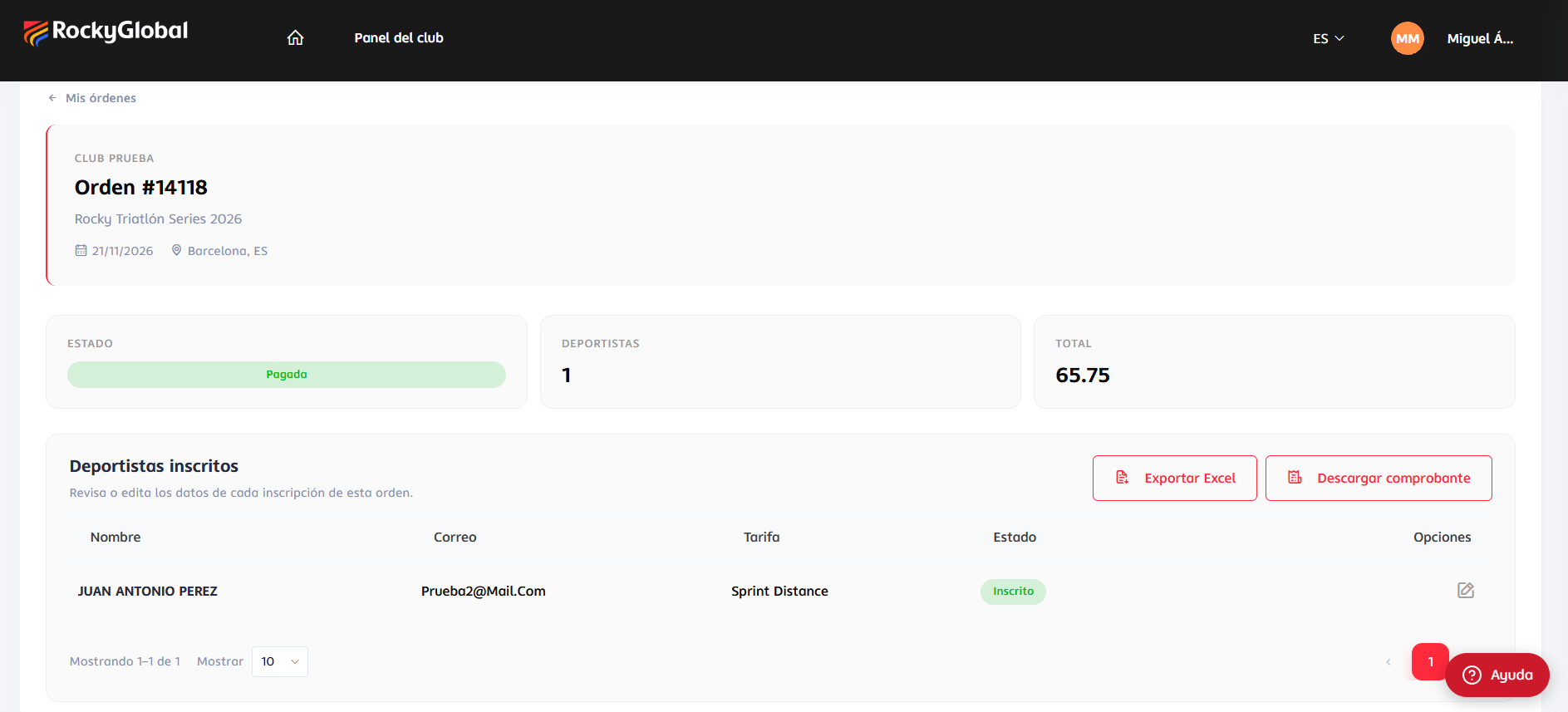
- Export Excel downloads
club-{club}-orden-{order}.xlsxin any order status: Locator, Bib, Rate purchased, Status, one column per event-form question (answers shown by their label, plus the club and club-email columns), Team name on team-rate orders, and Participant and Email. It is the same file shape the organizer exports. - Download receipt generates a PDF of the order and the registrations it includes, and only appears when the order is Paid.
Editing an athlete
In the detail, press the pencil in the athlete’s row (requiresclub.orders.edit).
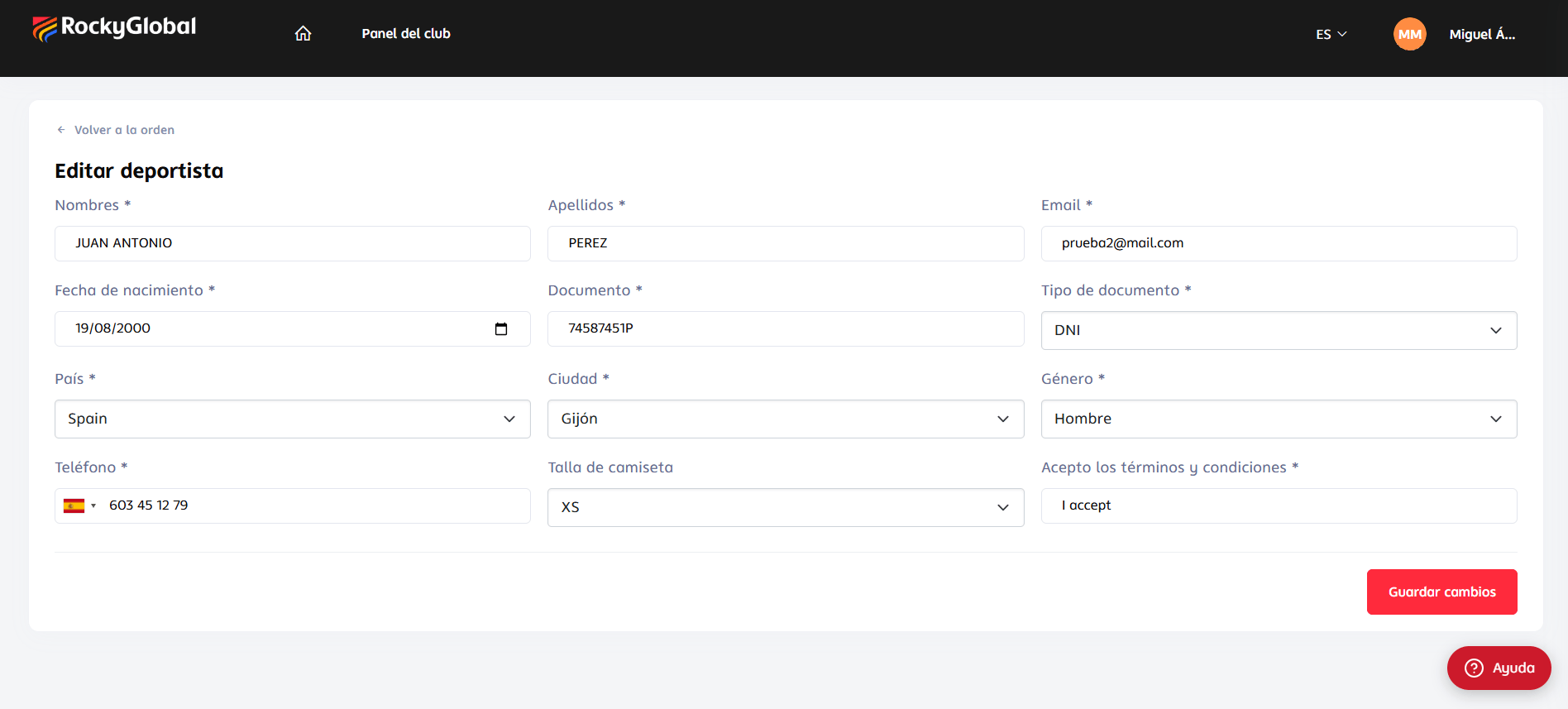
- Priced questions do not appear (changing them after registration would alter what was charged without a new charge).
- File-upload fields don’t appear.
- Only fields with a value are saved. An empty field keeps the existing data; you can’t erase a value from this screen.
- The athlete’s profile is also updated (name, last name, birth date, gender, city, country, document, document type and phone), so the change also shows on their account across other events.
- Some values are normalized to the platform’s internal format (for example, the country is stored as its code).