
Choosing the method
When the total is above 0 and the organization has bank details loaded, the Payment method block appears (in the review window of the manual form, or on the Excel confirmation screen): Pay by card now (default) or Pay by bank transfer. Without bank details the selector doesn’t appear and payment is always by card.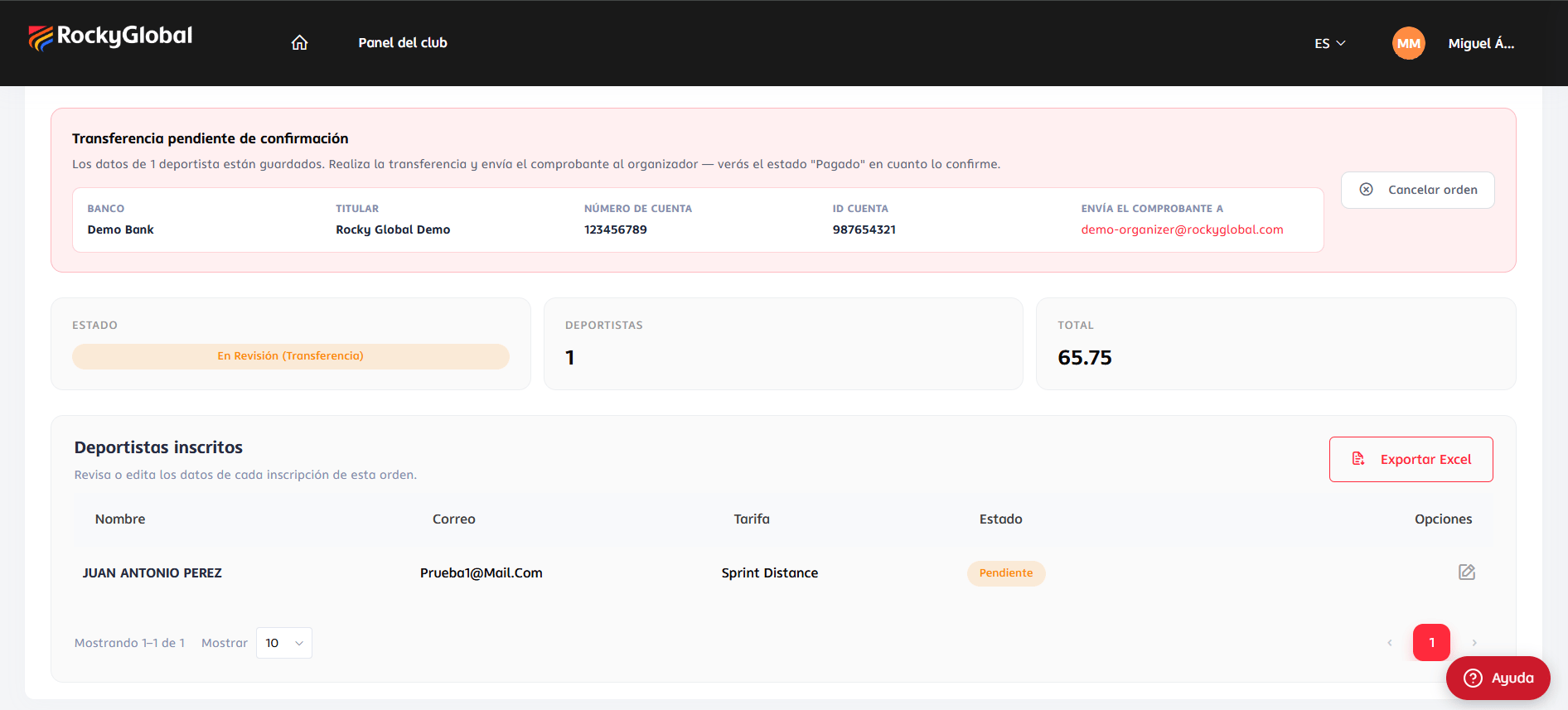
Card payment
Cards are charged in euros (EUR) through Redsys or Stripe. You don’t choose the gateway: it is set by the organizer’s payment configuration (buyer country, event and priority), as in an athlete’s registration.- Redsys takes you to your bank’s screen and back. If you press back or cancel there, nothing is charged: you return to your order’s detail with the notice “The payment for this order has not been confirmed yet…” and can retry any time.
- Stripe shows the payment inside Rocky Global. Its Back link returns you to your order in the portal.
Payment by bank transfer
Available when the total is above 0 and the organization has loaded its bank, account number and contact email (each organization has its own).1
Choose transfer when paying
Pick Pay by bank transfer and press Confirm and pay.
2
The order is created in review
You return to the order with the status In review (transfer) and a box with the account details.
3
Make the transfer
Transfer the order total to the Bank, Holder (the organization’s name), Account number and, if present, Account ID shown.
4
Send the proof of payment
Email it to the address shown under “Send the proof of payment to”, mentioning the order number.
5
Wait for approval
The organizer verifies and approves the order, which becomes Paid. Approval is manual; there is no automatic deadline.
Resuming an unpaid order
An order may stay unpaid (connection dropped, tab closed, card declined). You don’t lose your work: the order and its athletes stay saved. Find it in My orders → To pay and press Pay (or Pay now / Retry payment in the detail). You return to the gateway with the same order; the amount never changes. Before charging, the system re-checks that the event hasn’t ended and still has room, that each rate is still active and has quota, and that the discount is still valid. If not, it tells you why and does not take you to the gateway. For capacity you will see “The event reached its participant limit; there are no spots left to pay this order.”, “The event only has N spots available and this order needs M.”, or the equivalent for a rate. If the message is about capacity, write to the organizer with the order number: they can decide to confirm your athletes anyway, even if the event or rate is full. Meanwhile the order stays saved. How long to wait before retrying. To avoid double charges, a new attempt is blocked while one is in progress:A pending order is never cancelled on its own. It stays saved, with all its athletes, until you pay it or cancel it: there is no deadline that makes it expire. Still, resume it soon: while it is pending its athletes don’t take up a spot, and if the event or rate fills up meanwhile you can no longer pay it by card.