Available channel
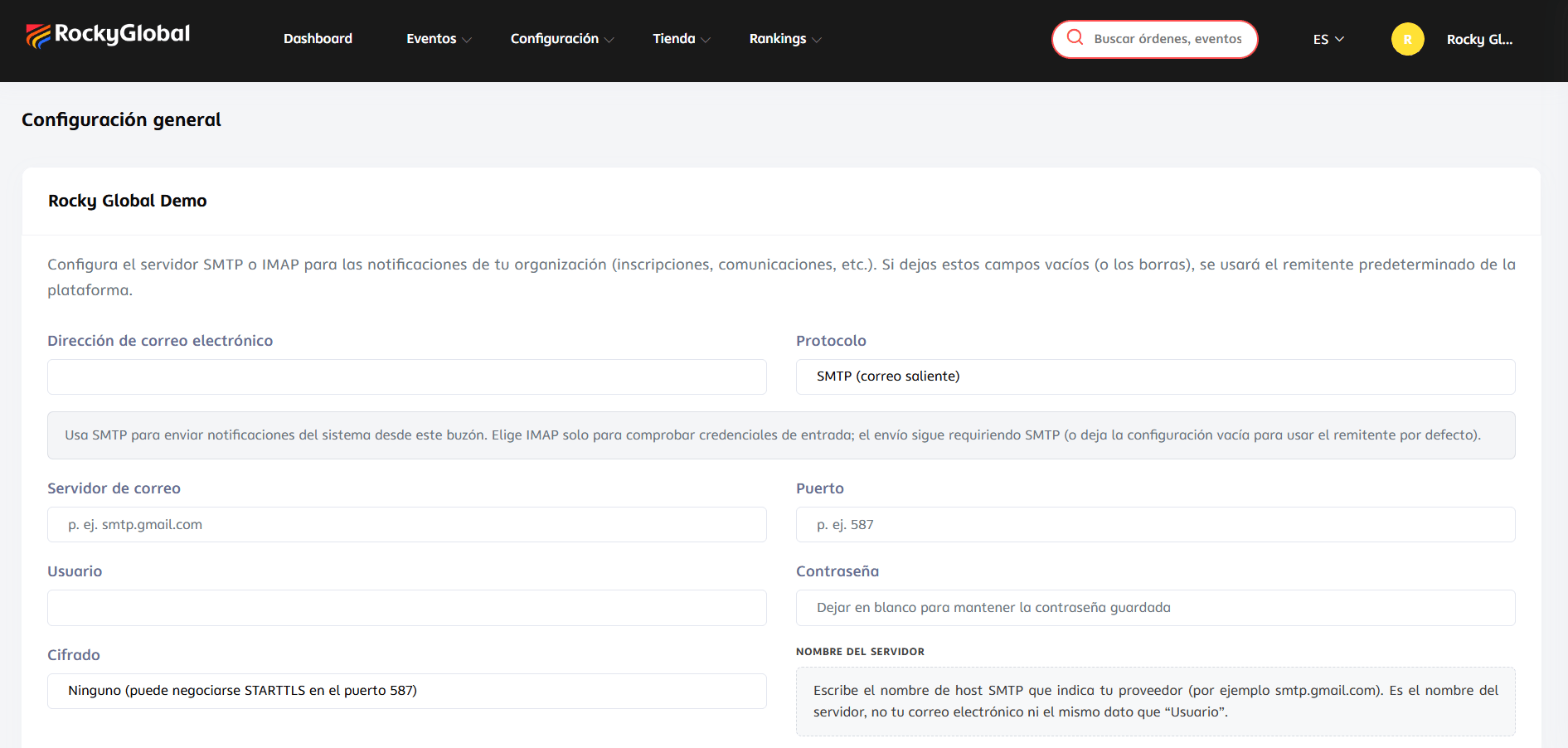
Rocky Global only sends communications by email. An event’s Communications menu has three tabs: Settings, Emails, and Announcements.Settings: which notifications are sent
In Communications → Settings you turn each automatic system notification on or off separately:- Purchase notification: sends the confirmation email when a purchase is approved.
- Account creation notification: sends the welcome email when an account is created during checkout.
- PDF notification: attaches the confirmation PDF to the purchase email.
Emails: customize the content
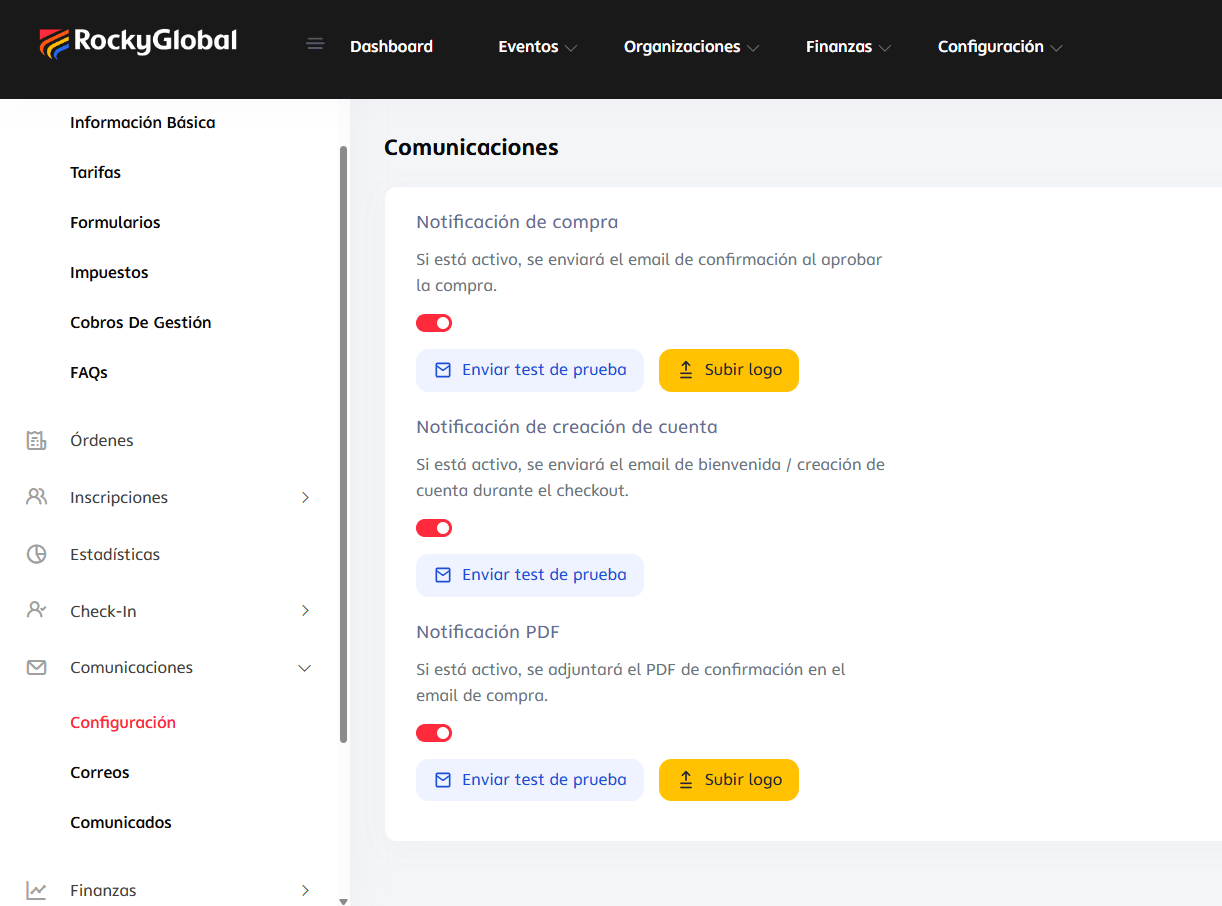
In Communications → Emails you edit the content of the confirmation email, with two tabs of its own — Initial Registration and Additional Orders — and a language selector (ES/EN) per template:- Confirmation email language: automatic (based on the participant’s language) or forced to a specific one.
- Email subject (optional; if left empty, uses the default subject).
- Available variables (inserted by clicking or dragging):
{name}First name,{last_name}Last name,{full_name}Full name,{event_name}Event name,{event_date}Event date,{competition_start}Competition start,{competition_end}Competition end, among others. - Live preview with sample data, to the right of the editor.
Announcements: one-off bulk sending
1
Go to 'Announcements'
Inside the event, go to Communications → Announcements.
2
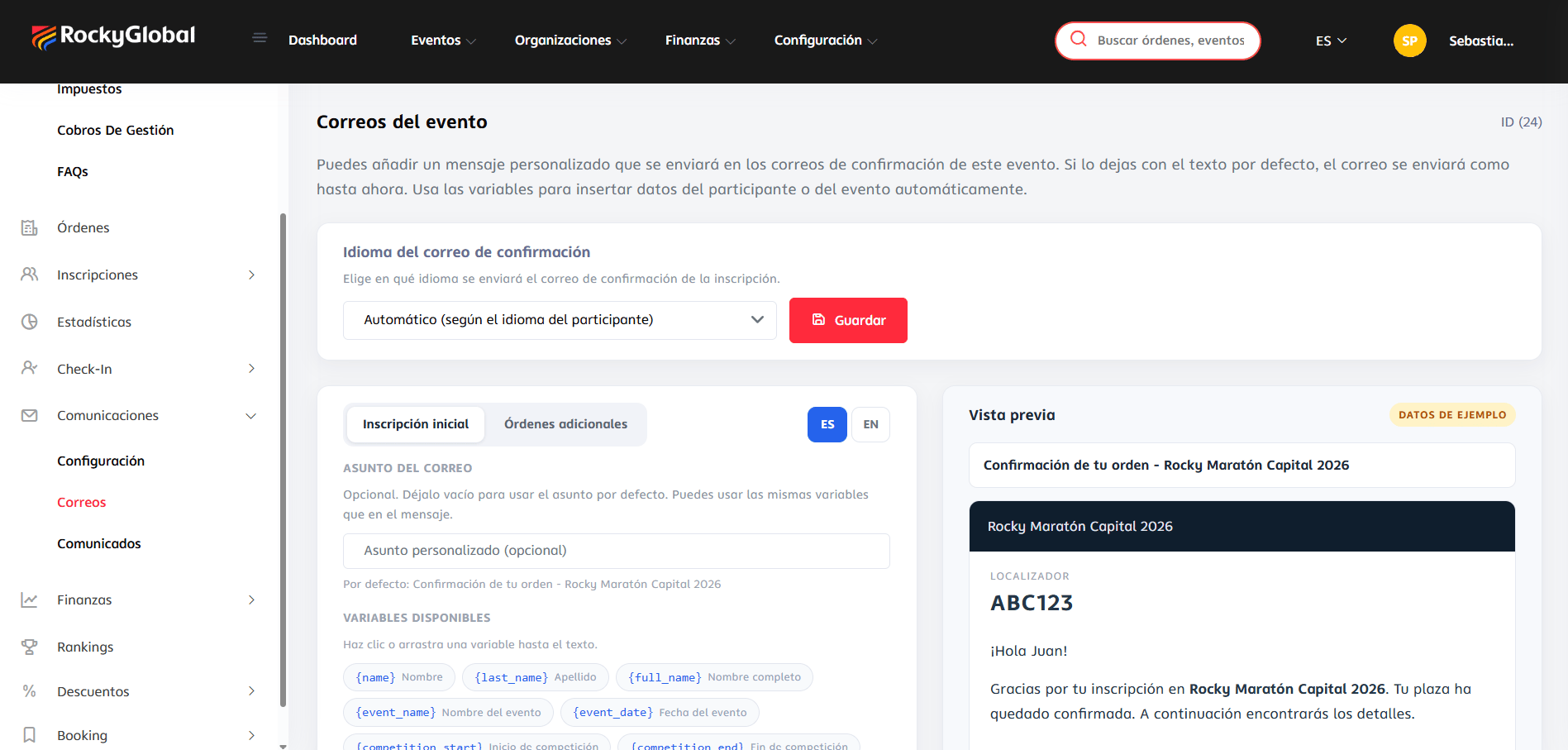
Define the audience
Filter who to send to based on the audience filters available for the event.
3
Write the email
Subject, content, and the same dynamic variables available in “Emails.”
4
Test before sending
Send a test to your own email.
5
Send
Sending is immediate; we’re working on adding the option to schedule the email for a future date or time.
Your own sender (SMTP)
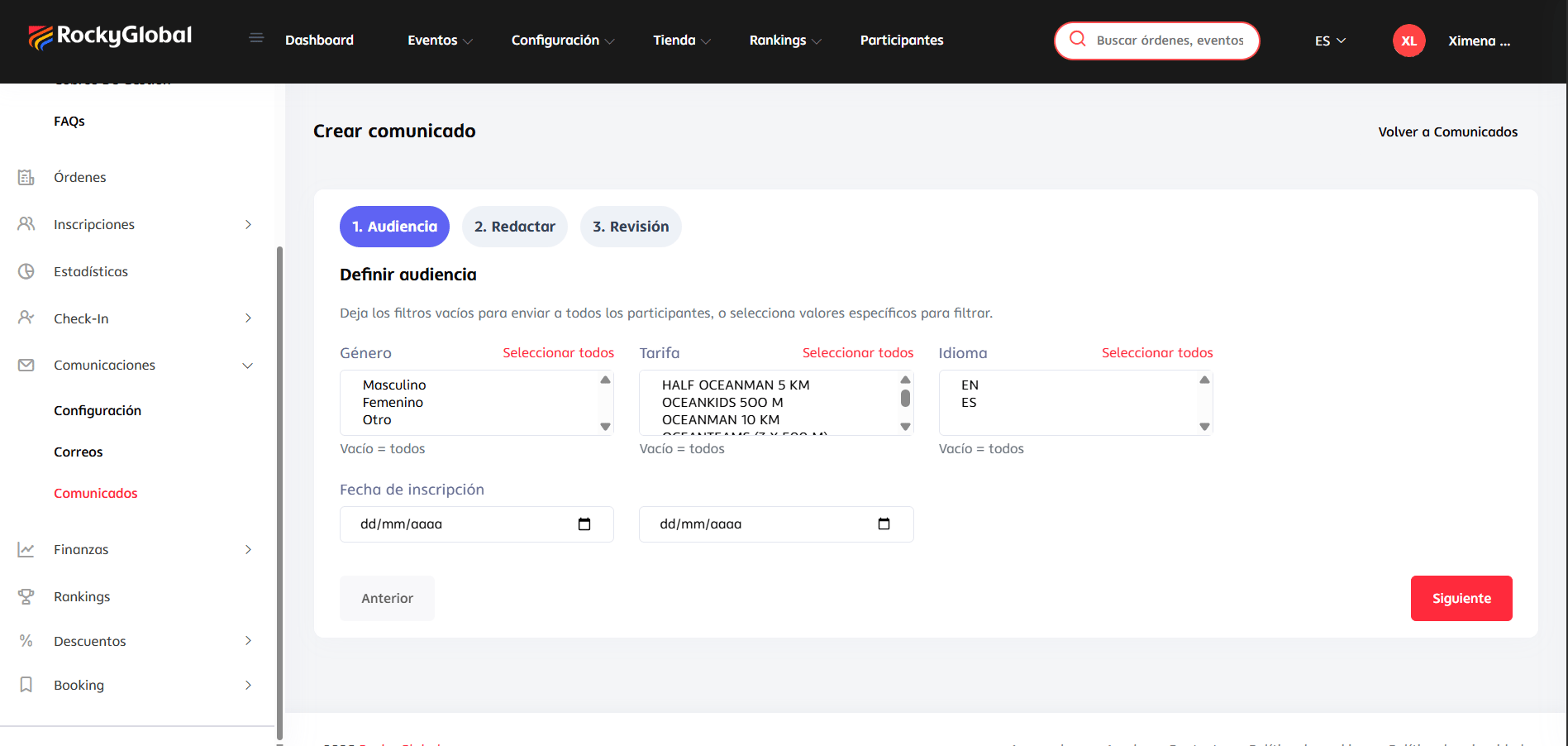
You can configure your own mail server from Settings → General (at the organization level, not per event), so emails go out from your own domain instead of Rocky Global’s generic domain: protocol (SMTP/IMAP), sender address, host, port, username, password, and encryption type. There’s a button to test the connection before saving, and an option to revert to the platform’s default email at any time.