
What is your profile?
Your profile is your account page in Rocky Global. There you can edit your basic access information and view general information associated with your account.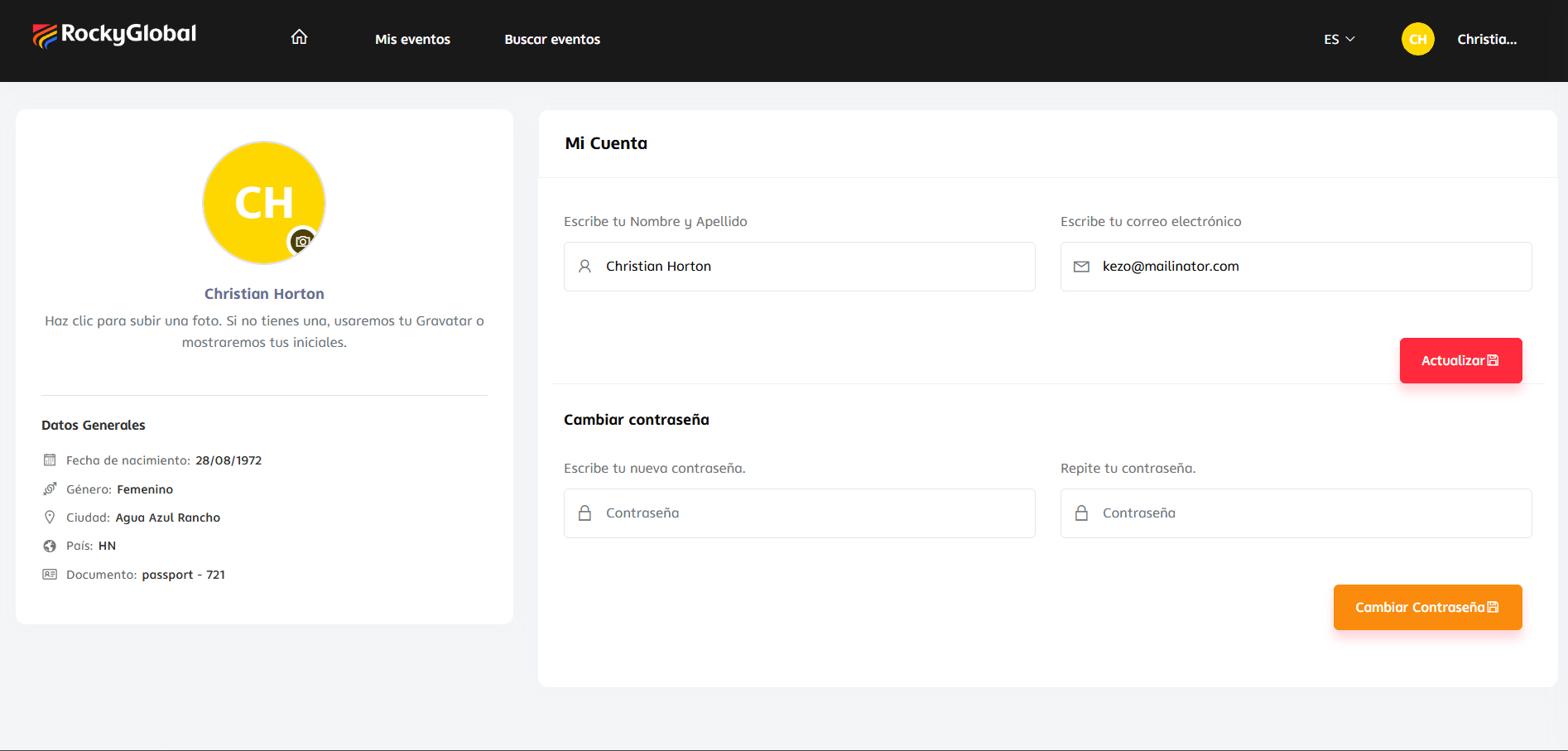
Data such as t-shirt size, club, emergency contact, or other race-specific information is not stored in the profile: it is captured each time you register for an event, as part of the registration form configured by each organizer. See Event registration.
What you can edit
- Full name.
- Email address.
- Profile photo.
The email address can only be changed from My Profile. The event registration form does not allow you to change it.
How to edit your profile
1
Log in
Sign in to your account on the platform.
2
Open 'My Profile'
Click your photo or initial in the top-right corner and select My Profile.
3
Edit your information
Update your name, email, or profile photo.
4
Save the changes
Press Save. The changes are applied immediately.