
Financial panel
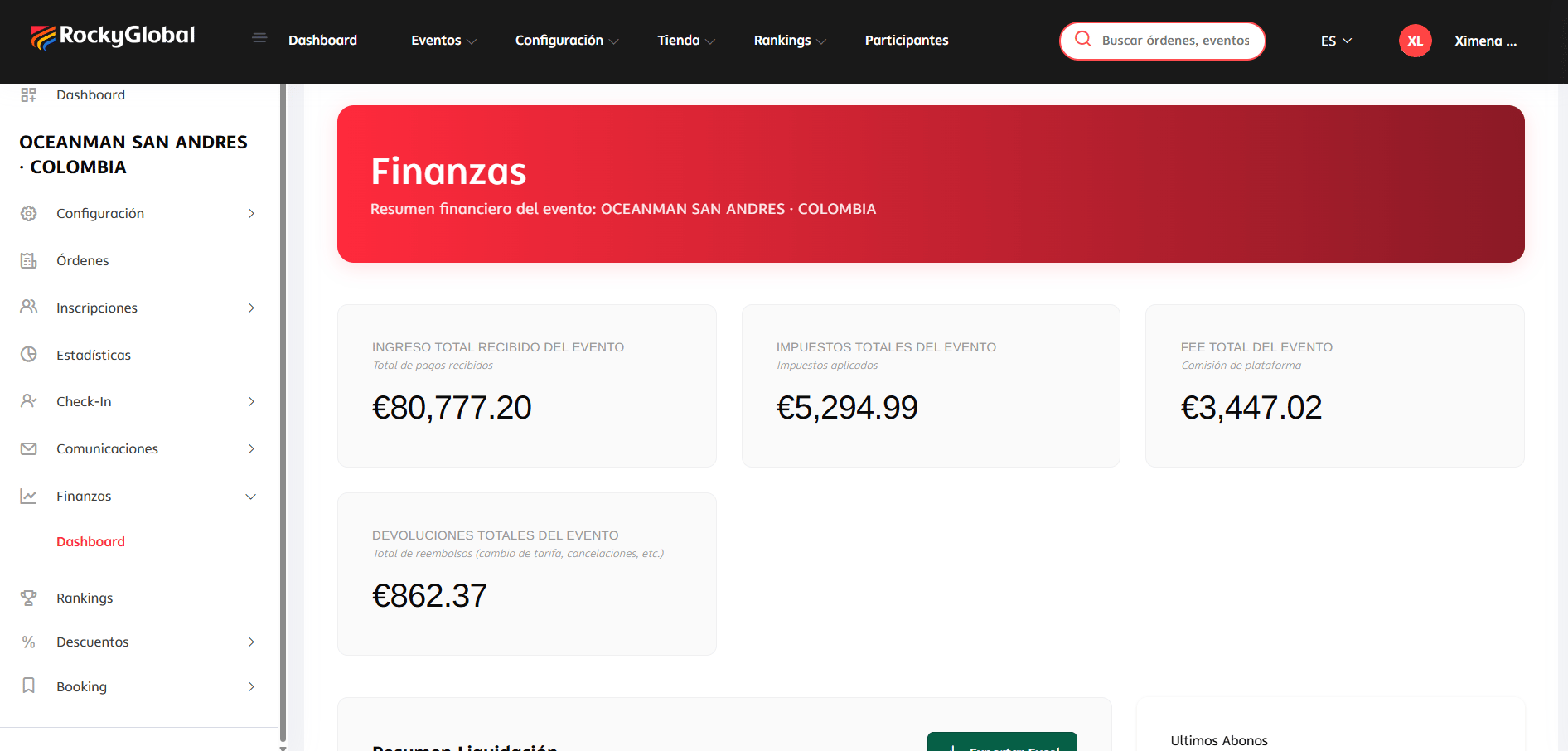
In Finances → Dashboard, within the event, you see in real time:- Total Revenue Received for the Event (total payments received).
- Total Event Taxes (taxes applied).
- Total Event Fee (platform commission; the payment gateway’s fee is not broken out separately).
- Total Event Refunds (refunds from fee changes, cancellations, etc.).
Payment methods
Under Settings → Payment methods you choose which gateway charges your registrations and where each one applies. Rocky Global currently charges through Redsys and Stripe.Each gateway’s credentials are managed by the platform. You decide where each method applies; the charge always goes through the platform account and is settled to you afterwards.
- Methods you have not switched on are dropped, along with any the platform has not granted you.
- Of those left, the ones that do not apply to the buyer’s country are dropped.
- Then the ones that do not apply to that event.
- The lowest priority among the survivors wins: 1 is tried first. Ties go to whichever was granted first.
- If none are left, the default gateway charges. Checkout is never left without a way to take money.
The country is the buyer’s
Not the event’s. These are races people enter from all over the world: an event in Italy is paid for from Colombia, Spain and China, and what decides whether a gateway can charge is where the card was issued. The country is taken from the paying account, which is what the entrant declares when they register.Priority orders, it does not exclude
Priority only decides the order among methods that already fit. Setting one to 1 does not make it charge everything: if its country or event rules do not apply to that purchase, it is skipped and the next one goes. A method set to “Only selected events” with nothing selected will never charge, and saving it raises no error. The order is yours. The platform sets a default priority, but it is only the starting value when a new method is granted to you. From there you order them on your own screen, and changing the platform default leaves what you already have untouched.What changes for the entrant
Redsys sends them to the bank’s screen and back. Stripe charges without leaving the form, asking for the card as the last step of the registration. Either way the card details are handled by the gateway and never reach Rocky Global’s servers. Refunds go back through whichever gateway took the money; there is nothing to choose. Configuring this requires the Manage payment methods permission, granted per role under Settings → Roles and Users. It is separate from managing users: administering the team does not, by itself, let someone change how you get paid.Requesting your payment
Unlike an automatic cycle with a fixed periodicity, settlement on Rocky Global works on demand:1
Review the available amount
The financial panel calculates how much you have available to withdraw.
2
Request the payment
Generate a payout request. It stays in pending status.
3
Wait for approval
The request must be approved before it’s processed.
4
Receive the payment
Once approved, it’s transferred to your registered bank account.
Orders (includes store sales)
In Orders you see the complete list of the event’s transactions: registrations, store products, and hotel bookings together in a single order per purchase (checkout is unified). Store sales are viewed directly here, on the same orders screen, and in each order’s detail you can view items, issue refunds, add notes, or resend the receipt by email.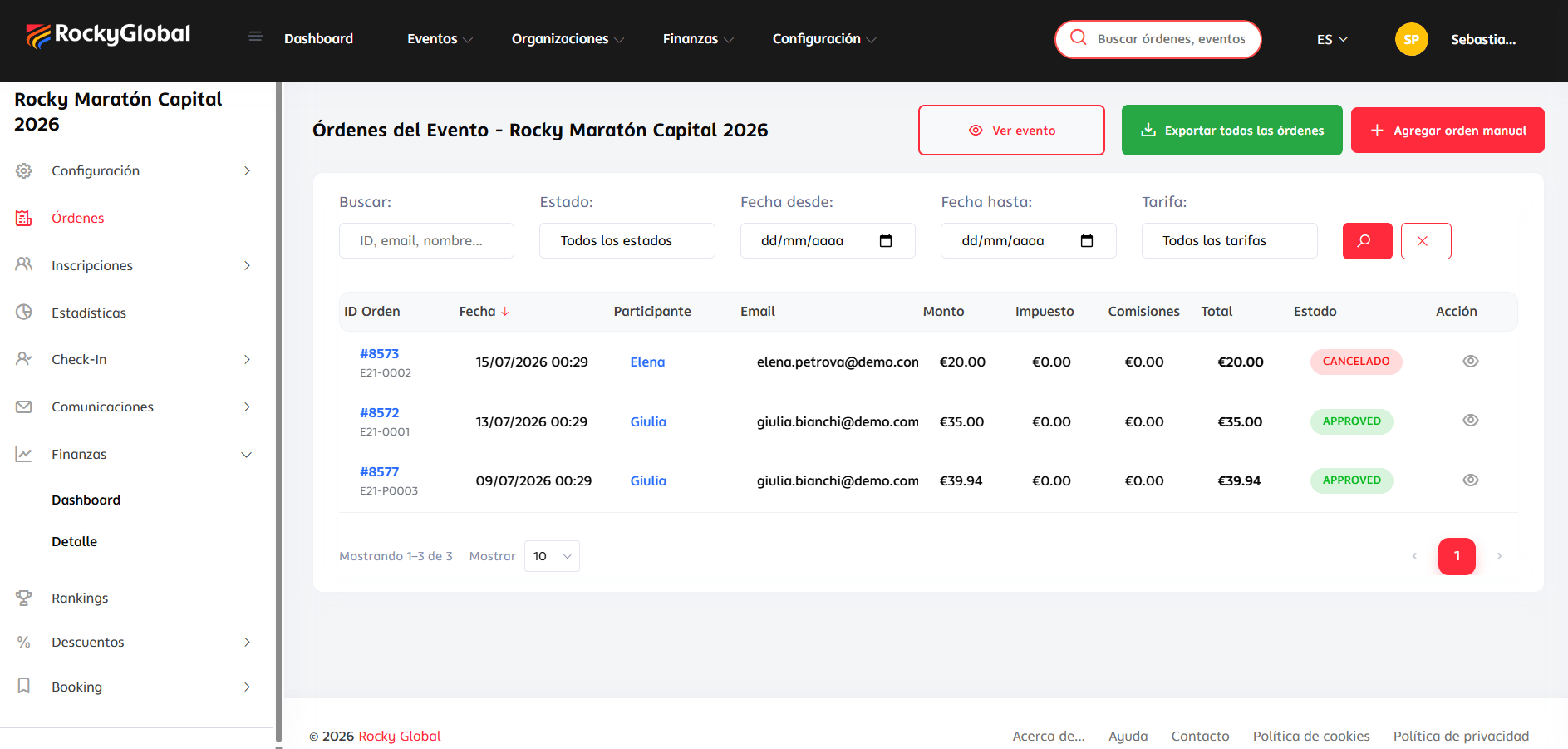
Payment statuses
While a registration is OK, the athlete is officially registered even if a complementary order (store, fee change) is still PENDING.
Refunds to athletes
You can refund the full or partial amount of an order from the Finances or Participants panel; the system refunds to the same original payment method.1
Open the registration
Find the participant and open their individual registration detail. On the associated order you’ll see the Refund button (only visible if the registration has an order with a refundable balance and it isn’t closed or already checked in with the kit delivered).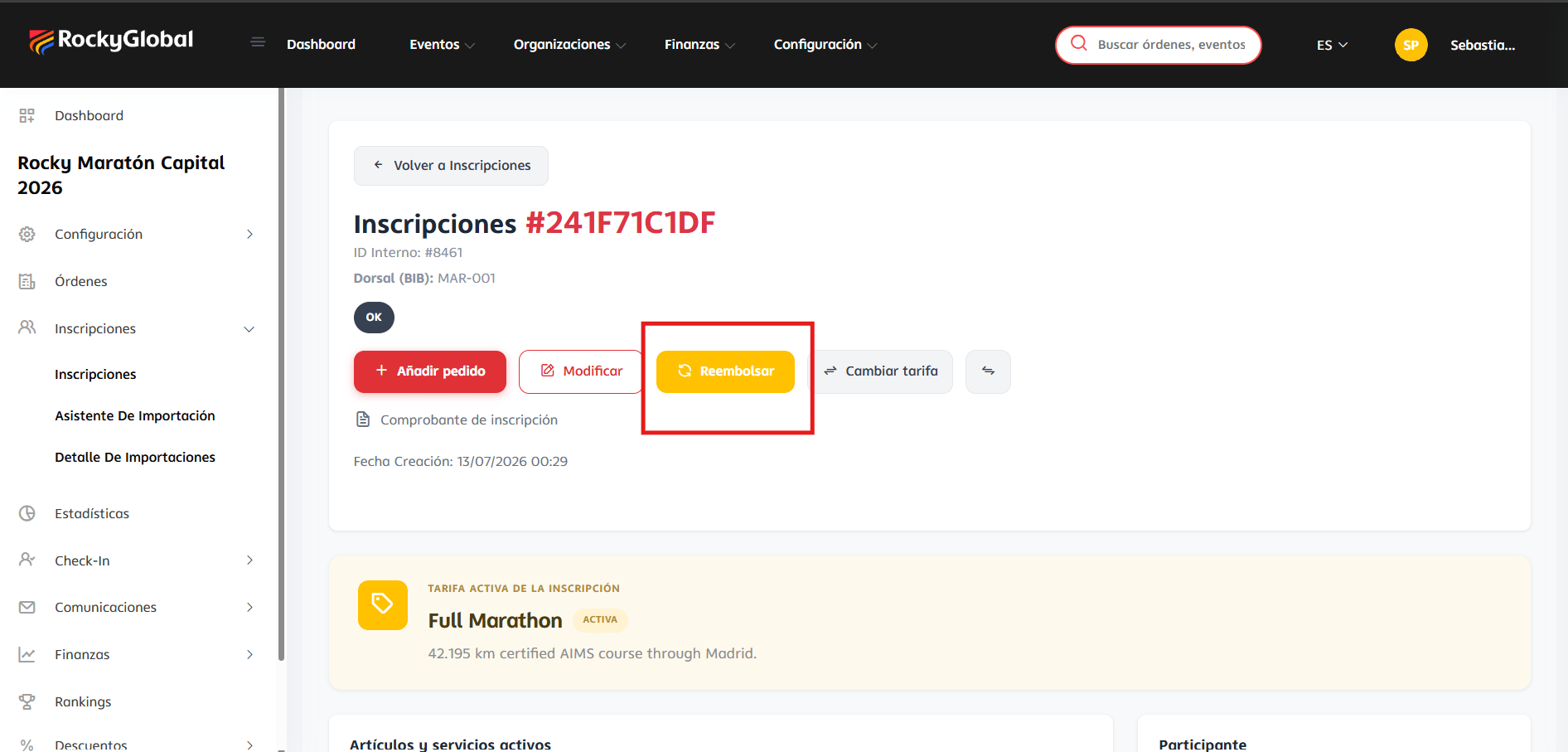
2
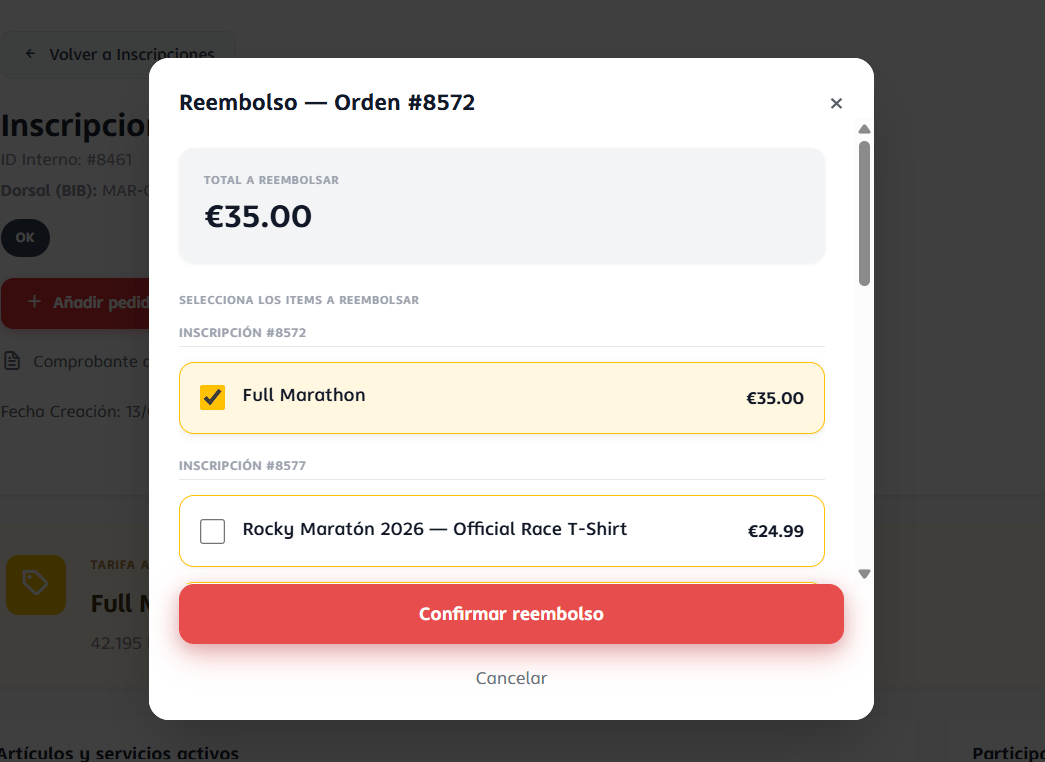
Fill in the refund form
A modal opens where you can:
- Check the items to refund (each with its amount) or enter a custom amount.
- Choose the refund type: return the money to the original payment method, or generate a discount code for that value.
- Optionally check cancel registration together with the refund.
-
Optionally check (enabled by default) whether to notify the athlete by email.
3
Confirm
Once confirmed, the refund is recorded in the registration’s and the order’s history.